
Share Patient Records With a QR Code: SMART Health Links in Node.js
Build encrypted, patient-controlled health records that anyone can scan. A step-by-step guide to SMART Health Links with the @fhirfly-io/shl SDK.
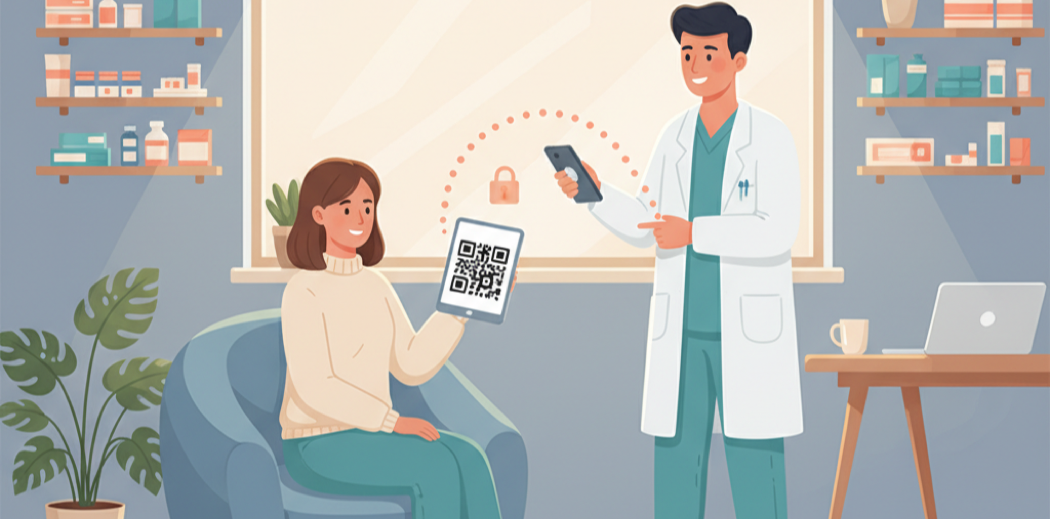
A patient walks into a pharmacy in another state. They have a QR code on their phone. The pharmacist scans it and sees their medication list, allergies, and last lab results — verified clinical data, not a screenshot of a portal.
That is a SMART Health Link. It is an open standard for sharing encrypted health records via URL or QR code. The patient controls who sees their data, how long the link lasts, and whether a passcode is required. The clinician gets structured FHIR data, not a PDF.
This tutorial walks through building SMART Health Links in Node.js using the @fhirfly-io/shl SDK — from assembling an IPS bundle to generating a scannable QR code.
What We Are Building
A Node.js script that:
- Builds an IPS (International Patient Summary) FHIR bundle with medications, conditions, allergies, immunizations, and lab results
- Encrypts the bundle with AES-256-GCM
- Stores the encrypted content (locally or in the cloud)
- Generates a
shlink:/URL and QR code that anyone can scan to retrieve the data
The decryption key lives only in the URL — it is never sent to the server. The server stores opaque encrypted blobs and cannot read the clinical data.
Setup
npm install @fhirfly-io/shl
That is the only required dependency. The SDK has one runtime dependency (qrcode) and zero others. If you want to enrich clinical codes with verified FDA/NLM data, install the terminology SDK too:
npm install @fhirfly-io/shl @fhirfly-io/terminology
Step 1: Create the Patient Bundle
The IPS.Bundle class is a composable builder. Start with patient demographics, then chain clinical data:
import { IPS, SHL } from "@fhirfly-io/shl";

const bundle = new IPS.Bundle({
  given: "Maria",
  family: "Garcia",
  birthDate: "1985-07-22",
  gender: "female",
});
The shorthand input covers 90% of use cases. For complex patients (multiple names, addresses, contacts), pass full FHIR-shaped input instead:
const bundle = new IPS.Bundle({
  name: [{ use: "official", given: ["Maria", "Elena"], family: "Garcia" }],
  birthDate: "1985-07-22",
  gender: "female",
  telecom: [{ system: "phone", value: "+1-555-867-5309", use: "mobile" }],
});
Step 2: Add Clinical Data
Every add* method returns this, so you can chain them. Each supports multiple input variants — manual coding (no API needed), code-based enrichment via FHIRfly, or passthrough of existing FHIR resources.
Medications (manual — no API needed)
bundle.addMedication({
  code: "860975",
  system: "http://www.nlm.nih.gov/research/umls/rxnorm",
  display: "Metformin 500 MG Oral Tablet",
  status: "active",
  dosageText: "Take 1 tablet by mouth twice daily with meals",
  effectiveDate: "2024-01-15",
});
Medications (API-enriched — verified FDA data)
If you have a FHIRfly API key, pass the client to get verified drug names, ingredients, and cross-references automatically:
import { Fhirfly } from "@fhirfly-io/terminology";

const fhirfly = new Fhirfly({ apiKey: process.env.FHIRFLY_API_KEY! });

bundle.addMedication({
  byNDC: "00071015523",
  fhirfly,
  status: "active",
  effectiveDate: "2024-01-15",
});
The SDK calls fhirfly.ndc.lookup() internally to resolve the NDC to its product name, active ingredients, and SNOMED mappings. Same pattern works for RxNorm (byRxNorm) and SNOMED (bySNOMED).
Conditions
// Manual
bundle.addCondition({
  code: "E11.9",
  system: "http://hl7.org/fhir/sid/icd-10-cm",
  display: "Type 2 diabetes mellitus without complications",
  clinicalStatus: "active",
});

// API-enriched (auto-resolves display name + SNOMED mappings)
bundle.addCondition({
  byICD10: "E11.9",
  fhirfly,
  clinicalStatus: "active",
  onsetDate: "2020-05-10",
});
Allergies
bundle.addAllergy({
  code: "91936005",
  system: "http://snomed.info/sct",
  display: "Allergy to penicillin",
  clinicalStatus: "active",
  criticality: "high",
});
Immunizations
// Manual
bundle.addImmunization({
  code: "213",
  system: "http://hl7.org/fhir/sid/cvx",
  display: "SARS-COV-2 (COVID-19) vaccine, UNSPECIFIED",
  status: "completed",
  occurrenceDate: "2024-03-15",
});

// API-enriched
bundle.addImmunization({
  byCVX: "213",
  fhirfly,
  status: "completed",
  occurrenceDate: "2024-03-15",
});
Lab Results
bundle.addResult({
  code: "2339-0",
  system: "http://loinc.org",
  display: "Glucose [Mass/volume] in Blood",
  value: 95,
  unit: "mg/dL",
  status: "final",
  effectiveDate: "2024-06-10",
  referenceRange: { low: 70, high: 100, unit: "mg/dL" },
});
Documents (PDFs, images)
import { readFileSync } from "node:fs";

bundle.addDocument({
  title: "Discharge Summary",
  content: readFileSync("discharge-summary.pdf"),
  contentType: "application/pdf",
  date: "2024-06-10",
});
Step 3: Build the FHIR Bundle
const fhirBundle = await bundle.build();
The build() method is async because code-based inputs (byNDC, byICD10, etc.) require API calls for enrichment. If you only used manual inputs, the Promise resolves immediately.
The default profile is "ips" (International Patient Summary). You can also specify "r4" for a plain FHIR R4 bundle or "pshd" for CMS Patient-Shared Health Data compliance:
const fhirBundle = await bundle.build({ profile: "ips" });
Step 4: Choose a Storage Backend
The encrypted content needs to be stored somewhere accessible via HTTPS. The SDK supports five storage backends:
Local filesystem (development)
const storage = new SHL.LocalStorage({
  directory: "./shl-data",
  baseUrl: "http://localhost:3000/shl",
});
FHIRfly hosted (zero infrastructure)
const storage = new SHL.FhirflyStorage({
  apiKey: process.env.FHIRFLY_API_KEY!,
});
FHIRfly stores only opaque encrypted blobs. The decryption key never leaves the shlink:/ URL — FHIRfly cannot read the clinical data.
AWS S3
const storage = new SHL.S3Storage({
  bucket: "my-shl-bucket",
  region: "us-east-1",
  baseUrl: "https://shl.example.com",
});
Requires npm install @aws-sdk/client-s3 (peer dependency).
Azure Blob Storage
const storage = new SHL.AzureStorage({
  container: "shl-data",
  connectionString: process.env.AZURE_STORAGE_CONNECTION_STRING!,
  baseUrl: "https://shl.example.com",
});
Requires npm install @azure/storage-blob (peer dependency).
Google Cloud Storage
const storage = new SHL.GCSStorage({
  bucket: "my-shl-bucket",
  baseUrl: "https://shl.example.com",
});
Requires npm install @google-cloud/storage (peer dependency).
Custom storage
Implement the SHLStorage interface to use any backend:
import type { SHLStorage } from "@fhirfly-io/shl";

class MyStorage implements SHLStorage {
  readonly baseUrl = "https://my-server.example.com/shl";

  async store(key: string, content: string | Uint8Array): Promise<void> {
    // key format: "{shlId}/content.jwe", "{shlId}/manifest.json"
  }

  async delete(prefix: string): Promise<void> {
    // prefix format: "{shlId}/"
  }
}
Step 5: Create the SMART Health Link
const result = await SHL.create({
  bundle: fhirBundle,
  storage,
  passcode: "1234",
  label: "Maria Garcia — Patient Summary",
  expiresAt: "appointment",
});

console.log(result.url);       // shlink:/eyJ1cmwiOi...
console.log(result.qrCode);    // data:image/png;base64,...
console.log(result.id);        // unique SHL identifier
console.log(result.passcode);  // "1234"
console.log(result.expiresAt); // Date object (24 hours from now)
That is it. The SDK:
- Generates a random 256-bit AES key
- Compresses the FHIR bundle with DEFLATE
- Encrypts it as a JWE (AES-256-GCM,
alg: "dir",zip: "DEF") - Stores the encrypted content, manifest, and metadata via your storage backend
- Encodes the key into a
shlink:/URL - Generates a QR code PNG
Access Control Options
Passcode protection — the recipient must enter the passcode to retrieve the data:
await SHL.create({ bundle: fhirBundle, storage, passcode: "1234" });
Expiration presets — named durations for common scenarios:
await SHL.create({ bundle: fhirBundle, storage, expiresAt: "point-of-care" }); // 15 minutes
await SHL.create({ bundle: fhirBundle, storage, expiresAt: "appointment" });   // 24 hours
await SHL.create({ bundle: fhirBundle, storage, expiresAt: "travel" });        // 90 days
await SHL.create({ bundle: fhirBundle, storage, expiresAt: "permanent" });     // no expiration
Or pass an exact Date:
const expiresAt = new Date();
expiresAt.setDate(expiresAt.getDate() + 30);
await SHL.create({ bundle: fhirBundle, storage, expiresAt });
Access limits — disable the link after N retrievals:
await SHL.create({ bundle: fhirBundle, storage, maxAccesses: 5 });
Step 6: Save the QR Code
The QR code is returned as a PNG data URI. Save it to a file:
import { writeFileSync } from "node:fs";

const base64Data = result.qrCode.split(",")[1];
if (base64Data) {
  writeFileSync("qrcode.png", Buffer.from(base64Data, "base64"));
}
Or render it directly in a web app:
<img src={result.qrCode} alt="SMART Health Link QR Code" />
Serving SHLs: Server Middleware
The QR code points to a URL on your server. The SDK includes middleware for Express, Fastify, and Lambda that handles the SHL retrieval protocol — manifest negotiation, passcode validation, expiration checks, and access counting.
Express
import express from "express";
import { expressMiddleware } from "@fhirfly-io/shl/express";

const app = express();
app.use("/shl", expressMiddleware({ storage }));
app.listen(3000);
Fastify
import Fastify from "fastify";
import { fastifyPlugin } from "@fhirfly-io/shl/fastify";

const app = Fastify();
app.register(fastifyPlugin({ storage }), { prefix: "/shl" });
app.listen({ port: 3000 });
AWS Lambda
import { lambdaHandler } from "@fhirfly-io/shl/lambda";

export const handler = lambdaHandler({ storage });
The middleware automatically handles:
POST /{shlId}— manifest retrieval (with passcode validation)GET /{shlId}— direct access (flag U mode)GET /{shlId}/content— encrypted bundle download- Expiration and access-count enforcement
Audit Logging
For compliance, you can implement the AuditableStorage interface to log every access:
import { ServerLocalStorage, type AuditableStorage, type AccessEvent } from "@fhirfly-io/shl/server";

class AuditedStorage extends ServerLocalStorage implements AuditableStorage {
  async onAccess(shlId: string, event: AccessEvent): Promise<void> {
    await db.auditLog.insert({
      shlId,
      recipient: event.recipient,
      timestamp: event.timestamp,
      ip: event.ip,
      userAgent: event.userAgent,
    });
  }
}
The server middleware detects AuditableStorage at runtime using the isAuditableStorage() type guard and calls onAccess() after each successful retrieval.
PSHD Compliance
For CMS Patient-Shared Health Data (point-of-care sharing), the SDK enforces the PSHD profile constraints:
const fhirBundle = await bundle.build({ profile: "pshd" });

const result = await SHL.create({
  bundle: fhirBundle,
  storage,
  compliance: "pshd",
  expiresAt: "point-of-care",
});
PSHD mode enforces:
- Direct retrieval (flag U — no manifest negotiation)
- Expiration required
- Passcode forbidden (incompatible with direct mode)
meta.profilestripped from all resources
The Complete Example
Putting it all together:
import { IPS, SHL } from "@fhirfly-io/shl";

// 1. Build the patient summary
const bundle = new IPS.Bundle({
  given: "Maria",
  family: "Garcia",
  birthDate: "1985-07-22",
  gender: "female",
});

bundle.addMedication({
  code: "860975",
  system: "http://www.nlm.nih.gov/research/umls/rxnorm",
  display: "Metformin 500 MG Oral Tablet",
  status: "active",
  dosageText: "Take 1 tablet by mouth twice daily with meals",
  effectiveDate: "2024-01-15",
});

bundle.addCondition({
  code: "E11.9",
  system: "http://hl7.org/fhir/sid/icd-10-cm",
  display: "Type 2 diabetes mellitus without complications",
  clinicalStatus: "active",
});

bundle.addAllergy({
  code: "91936005",
  system: "http://snomed.info/sct",
  display: "Allergy to penicillin",
  clinicalStatus: "active",
  criticality: "high",
});

bundle.addImmunization({
  code: "213",
  system: "http://hl7.org/fhir/sid/cvx",
  display: "SARS-COV-2 (COVID-19) vaccine, UNSPECIFIED",
  status: "completed",
  occurrenceDate: "2024-03-15",
});

// 2. Build the FHIR bundle
const fhirBundle = await bundle.build();

// 3. Create the SMART Health Link
const storage = new SHL.LocalStorage({
  directory: "./shl-data",
  baseUrl: "http://localhost:3000/shl",
});

const result = await SHL.create({
  bundle: fhirBundle,
  storage,
  passcode: "1234",
  label: "Maria Garcia — Patient Summary",
  expiresAt: "appointment",
});

console.log("SHL URL:", result.url);
console.log("QR Code saved:", result.qrCode.length, "bytes");
console.log("Expires:", result.expiresAt?.toISOString());
Run it:
npx tsx create-shl.ts
The output directory contains three files:
content.jwe— the encrypted FHIR bundle (opaque to the server)manifest.json— references to the encrypted contentmetadata.json— access control state (passcode hash, expiration, access count)
How the Encryption Works
The SDK uses JWE Compact Serialization with:
- Algorithm:
dir(direct key agreement — no key wrapping) - Encryption:
A256GCM(AES-256 in Galois/Counter Mode) - Compression:
DEF(raw DEFLATE before encryption) - Key: 256-bit random key, base64url-encoded in the
shlink:/URL
The key is embedded in the URL fragment. It is never sent to the storage server. Anyone who has the URL (or scans the QR code) can decrypt the data. Anyone who has only the server-side storage cannot.
This is zero-knowledge by design — the storage provider is a blind relay.
Key Takeaways
- SMART Health Links are an open standard for sharing encrypted FHIR data via URL or QR code. The patient controls access.
- Two namespaces:
IPS.*builds FHIR bundles,SHL.*encrypts and shares them. Each works independently. - Five input variants for clinical data: manual coding (no API), NDC, RxNorm, SNOMED, ICD-10, CVX, LOINC (via FHIRfly), or passthrough of existing FHIR resources.
- Five storage backends included: local filesystem, FHIRfly hosted, AWS S3, Azure Blob, Google Cloud Storage — or implement the
SHLStorageinterface for your own. - Zero-knowledge encryption: AES-256-GCM with the key in the URL, never on the server. The storage provider cannot read the data.
- Server middleware for Express, Fastify, and Lambda handles the SHL retrieval protocol automatically.
Next Steps
Install the SDK and run the built-in demo:
npm install @fhirfly-io/shl
npx fhirfly-shl demo --passcode 1234
For production use with FHIRfly hosted storage (zero infrastructure), get a free API key and use SHL.FhirflyStorage.
The full API reference is in the SDK documentation, and the source is on GitHub.
Build it on real terminology
Try any endpoint live — no sign-up required.